
A week of your restaurant with GetFoodies, in two minutes. Nothing is saved.
1 · Your brand
Your site, with your name
What you’ll see
- Your brand: your site, with your name and logo.
- The order: a customer orders and the order reaches the kitchen.
- The money: how much you keep, with no commission.
- The customer is yours: bring them back with an offer.
- Marketing: the week’s posts, ready to approve.
- Your reputation: your customers’ reviews.
- Your month: the report you get every month.
- Founders: what’s included and the price.
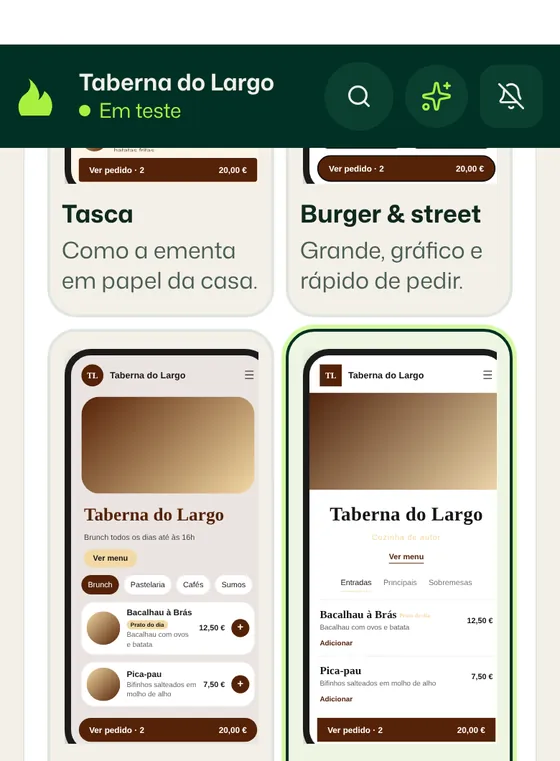
Start with your brand: add your restaurant’s name and logo.
- Type the restaurant’s name
- Upload the logo, or tap “I don’t have a logo”
- Choose the type of restaurant
The site is yours and carries your brand: customers order directly from you.
Customer: your site, as the customer sees it. Dashboard: where your site is built and managed.
Your customer sees
You see, in the dashboard
2 · The order
When your customer places an order
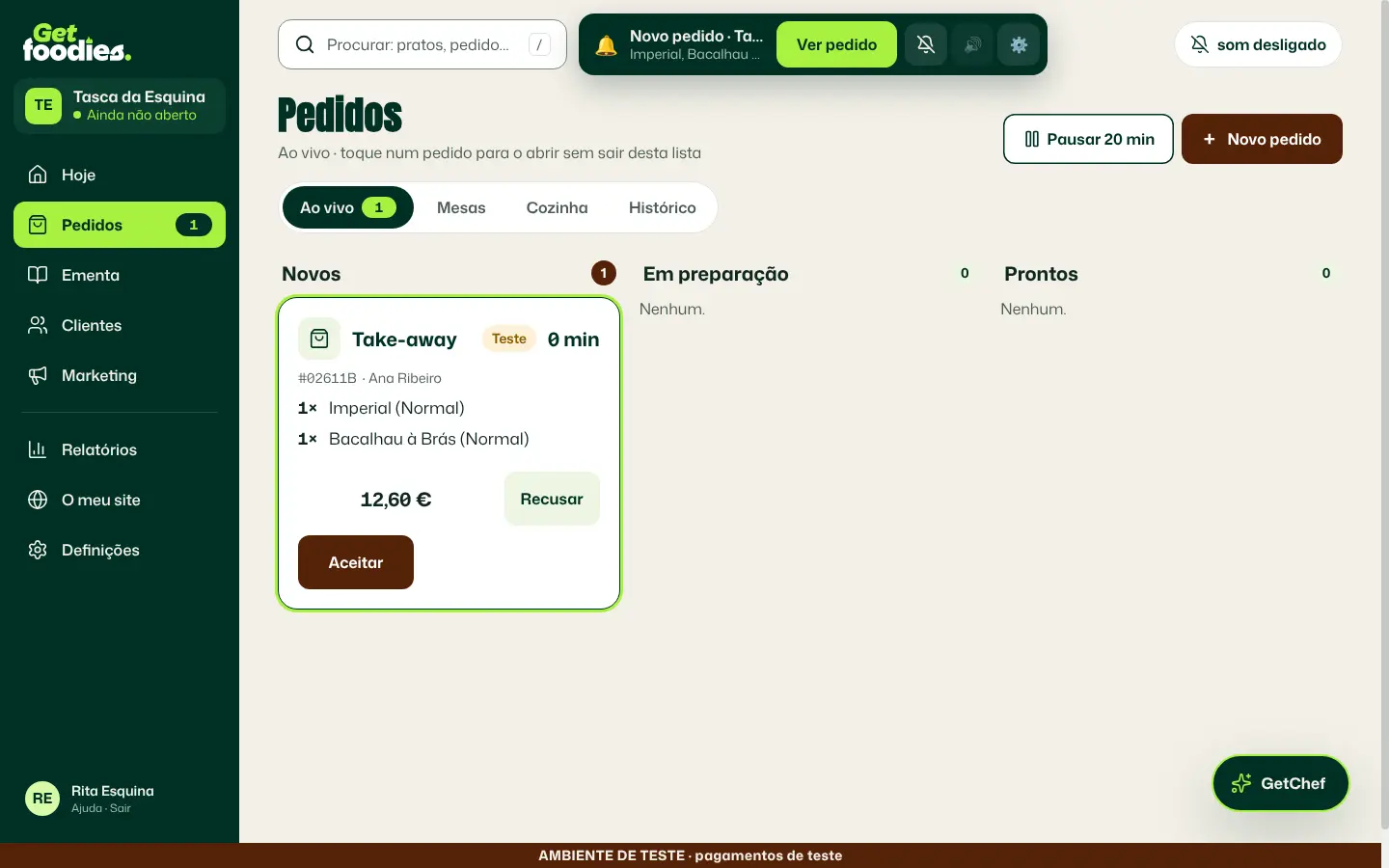
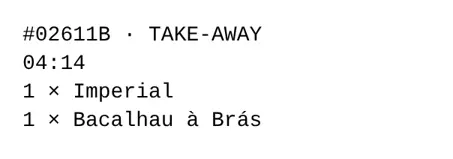
Order as your customer would, on the phone. Then see the order on the dashboard side.
- Tap a dish
- The site suggests another product: tap to add it (or Não, obrigado / No, thanks)
- Choose an extra: suggested extras raise the value of every order
- Open the basket and tap Continuar (Continue)
- Tap Pagar (Pay), in test mode
- In the dashboard, tap Aceitar (Accept)
No commission: this order is yours to keep, minus the card payment cost. Illustrative figures.
Dashboard: what happens in your restaurant.
Your customer
The customer’s choices
You, in the dashboard
Waiting for the order. Place it on the customer side.
3 · The money
How much you keep
Compare this order with what you would pay in commission on a marketplace.
- Type the commission you pay today (or keep 30%)
On this order, a 30% commission would be . On your site: €0 in commission. Illustrative figures.
You, in the dashboard
4 · The customer is yours
Bring them back
Whoever orders on your site goes on your customer list. Send them an offer and watch them come back.
- See your customers, in the dashboard
- Tap Enviar oferta (Send offer)
- On the Customer side, tap Pedir outra vez (Order again)
The customer came back: they’re yours, with no commission.
Dashboard: what happens in your restaurant.
Your customer, Ana
You, in the dashboard
5 · Marketing done for you
The week’s posts
Get Social prepares the week’s posts from your menu. You just approve.
- Tap Aprovar (Approve)
You approved the week’s posts with one tap.
You, in the dashboard
6 · Your reputation
How did it go?
After the order, your site asks the customer how it went. Your customers are invited to leave their review on Google too.
- Tap the stars, as the customer would
- In the dashboard, tap Publish (“Confirmar: publicar”)
Published: the review is now visible under «No site» (On the site).
Dashboard: what happens in your restaurant.
Your customer
You, in the dashboard
7 · Your month
The monthly report
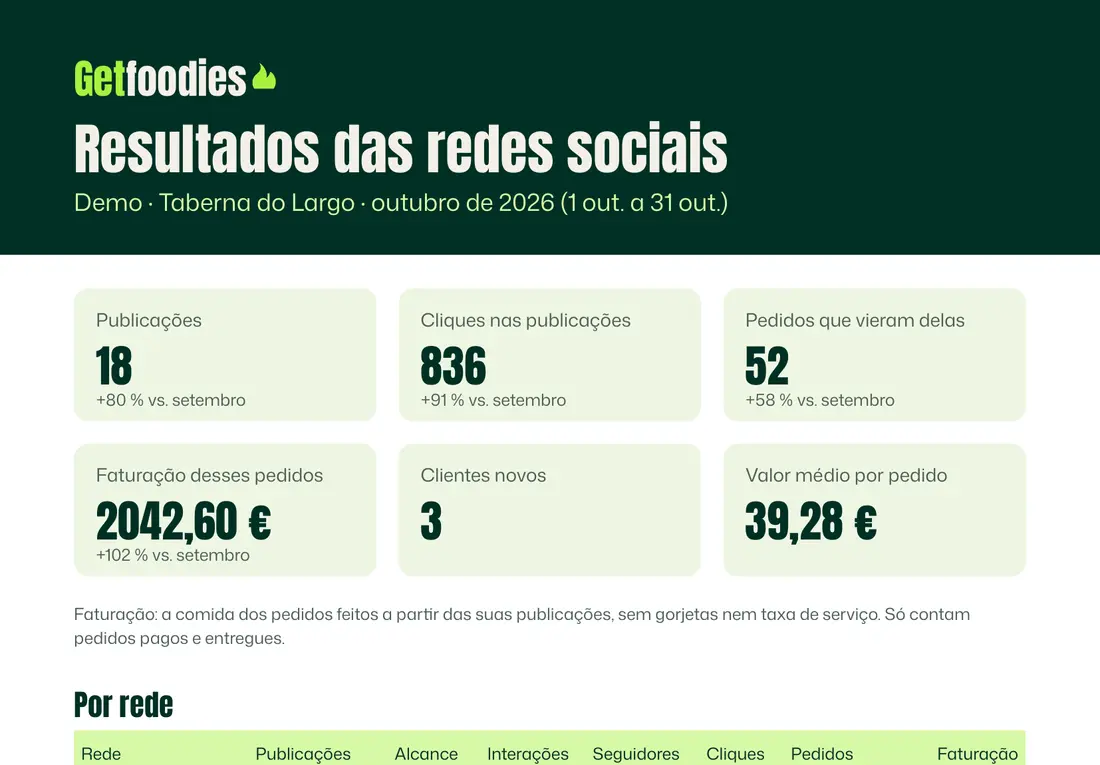
Every month, you get the report by email: your posts, the clicks and the orders that came from them. You can also follow everything in your dashboard, every day. We prepare the monthly report.
Every month, you know what brought you orders. Numbers from a demo restaurant.
In your email
8 · Founders
Your place
Everything you’ve seen, at a founder’s price.
Founders · 20 places-69%
€311/month €97 /month + VAT
- Your own ordering site, with no commission
- Your customers, and offers to bring them back
- Get Social: your restaurant’s marketing content, prepared for you and published after your approval
- The courier app
Founder price for good, for as long as you stay a customer (see the terms).
Getting started: 14 free days from the day you open your doors. Each step you complete adds 4 more days, up to 30:
- payments working;
- customers imported and first campaign sent;
- QR codes on the tables;
- Google or Meta connected.
We only ask for your card when you open your doors.
We’re a startup with one mission: to help independent restaurants be sustainable, stay alive and grow.
We launch on 5 January 2027. Founder places are limited and we choose the restaurants we work with: we give priority to those with the right profile to grow with us.
Register interestOptional, paid separately
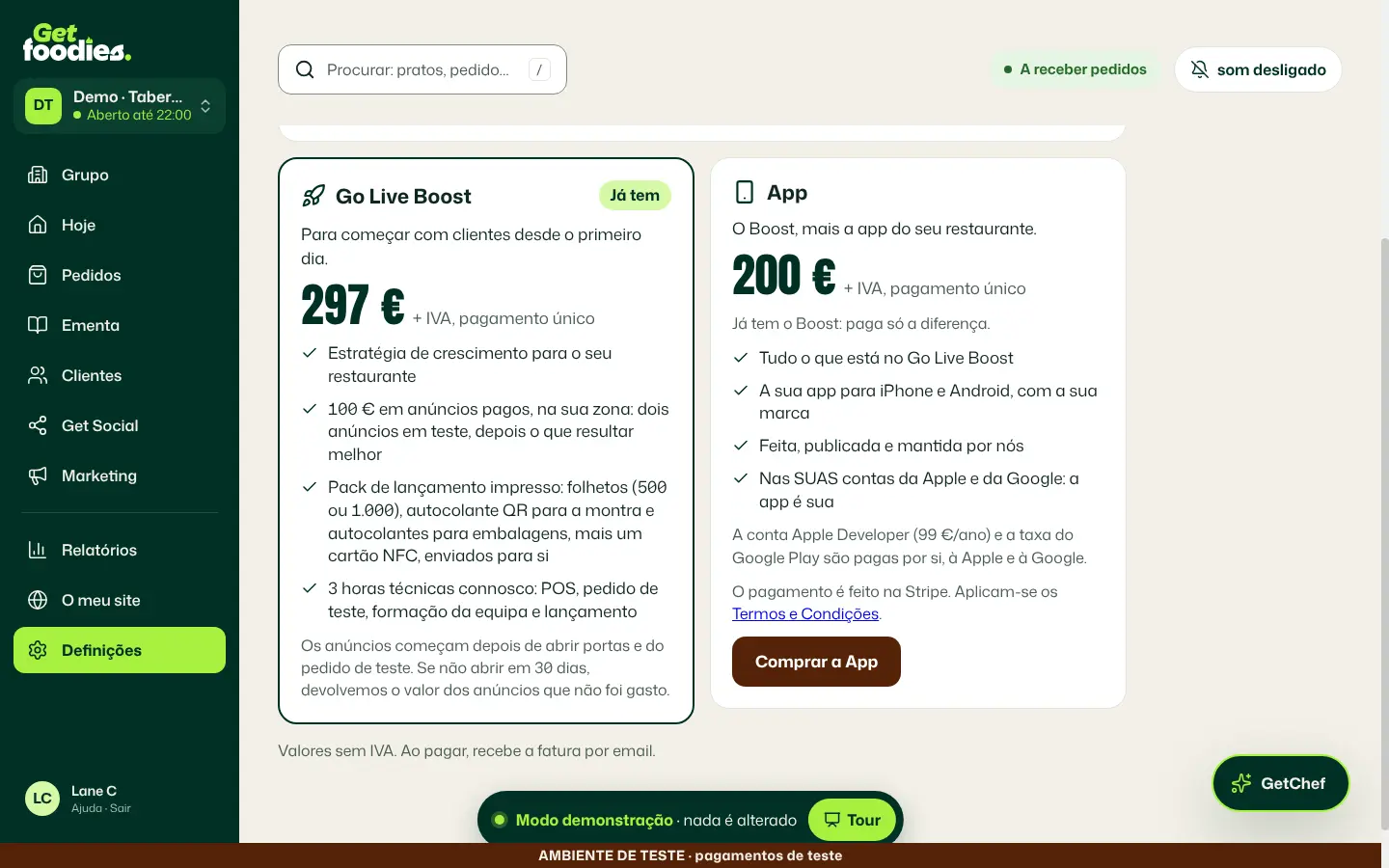
Go Live Boost
To start with customers from day one.
€297 + VAT, one-off
- A growth strategy for your restaurant
- €100 of paid ads in your area: two ads tested, then the one that works best
- A printed launch pack: flyers (500 or 1,000), a QR sticker for the window and stickers for packaging, plus an NFC card, sent to you
- 3 technical hours with us: POS, test order, team training and launch
The ads start after you open your doors and place the test order. If you don’t open within 30 days, we refund the ad budget that wasn’t spent.
Buy in the dashboardDish photo credits
On the ordering-site screens, the dish photos are real, licensed photos from Unsplash and Wikimedia Commons. None were generated with AI. Wikimedia Commons photos:
- Bacalhau à Brás: photo by Avicentegil, CC BY-SA 4.0, Wikimedia Commons. Cropped and resized.
- Bacalhau à Brás: photo by Fpenteado at en.wikipedia, CC BY-SA 3.0, Wikimedia Commons. Cropped and resized.
- Polvo à lagareiro: photo by August Dominus, CC0, Wikimedia Commons. Cropped and resized.
- Polvo à lagareiro com batatas: photo by silvar.net, CC BY 2.0, Wikimedia Commons. Cropped and resized.
- Sardinhas assadas com batata e salada: photo by Yusuke Kawasaki from Tokyo, Japan, CC BY 2.0, Wikimedia Commons. Cropped and resized.
- Caldo verde: photo by Mateus Hidalgo, CC BY-SA 2.5 br, Wikimedia Commons. Cropped and resized.
- Francesinha: photo by Nelson Alexandre Rocha from Portugal, CC BY 2.0, Wikimedia Commons. Cropped and resized.
- Pastéis de nata: photo by Thomon, CC BY-SA 4.0, Wikimedia Commons. Cropped and resized.
- Tosta mista: photo by tak.wing, CC BY-SA 2.0, Wikimedia Commons. Cropped and resized.
- Galão: photo by Vojtěch_Dostál, CC BY-SA 4.0, Wikimedia Commons. Cropped and resized.
- Frango assado: photo by Kolforn, CC BY-SA 4.0, Wikimedia Commons. Cropped and resized.
- Bifana no pão: photo by tak.wing, CC BY-SA 2.0, Wikimedia Commons. Cropped and resized.


